Install Garita
Garita works like an app. Add it to your home screen and open it with one tap. No app store needed.
No app store and no account. On your phone, tablet or computer.
On a phone
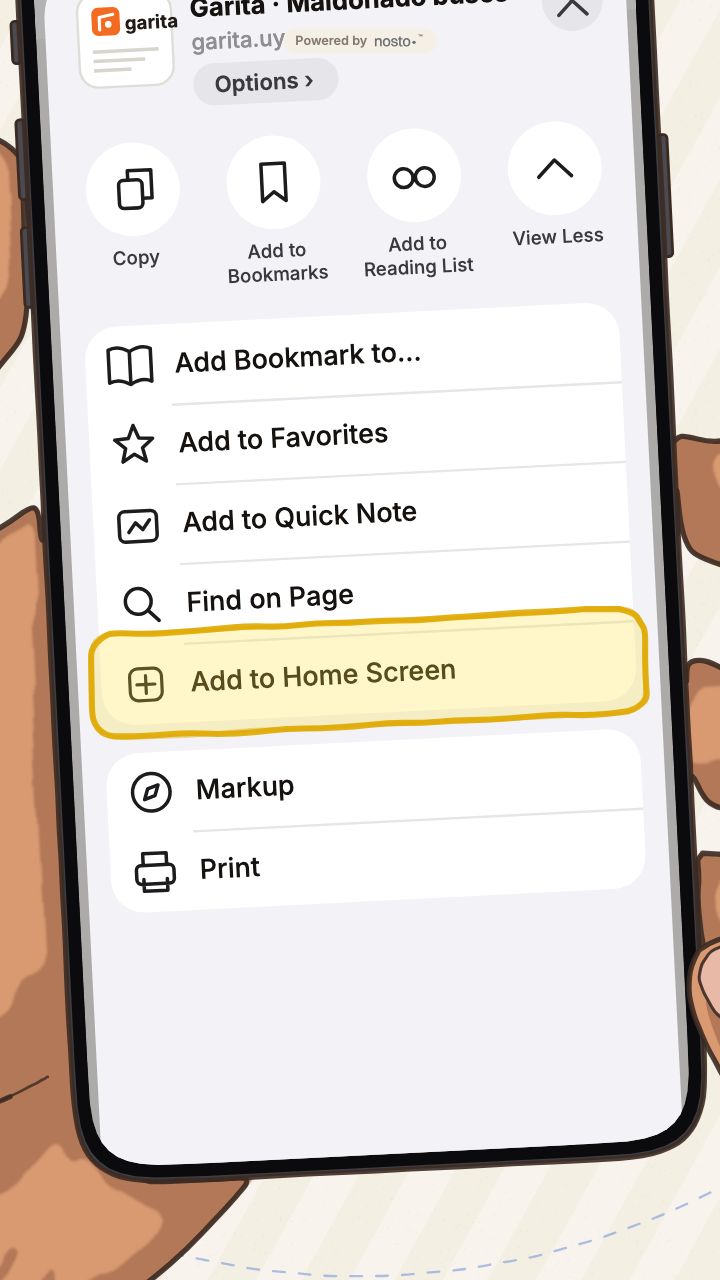
iPhone with Safari
- Open garita.uy in Safari.
- Tap the three lines "≡" to the left of the address bar at the bottom.
- Tap "Share".
- Tap "View More": the round button with the arrow pointing down.
- Tap "Add to Home Screen".
- Leave "Open as Web App" on and tap "Add" at the top right.
iPhone with Chrome
- Open garita.uy in Chrome.
- Tap the share button inside the address bar, at the top right: the square with the arrow.
- Tap "View More".
- Tap "Add to Home Screen".
- Leave "Open as Web App" on and tap "Add" at the top right.
Android
- Open garita.uy in Chrome.
- Tap the three dots at the top right.
- Choose "Install and create shortcut" (on some phones it’s "Add to Home screen"), then tap "Install".
Opened it from Instagram?
You can’t install it from inside Instagram. Open it in Chrome or your browser first.
- Tap the button in Garita’s notice: "Open in Chrome" on iPhone, "Open in your browser" on Android.
- No notice? Tap the three dots at the top right and choose "Open in external browser".
- Then follow the steps for your phone.
On a tablet
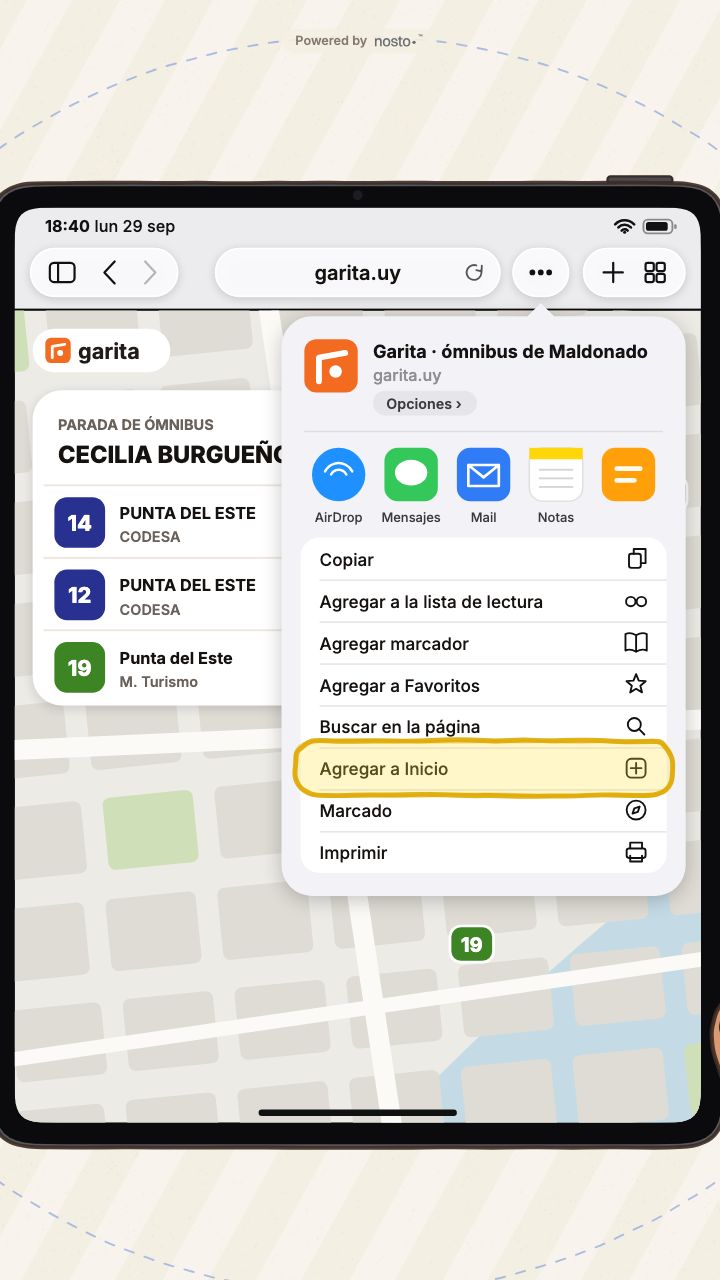
iPad
- Open garita.uy in Safari.
- Tap the three dots next to the address.
- Tap "Share".
- Choose "Add to Home Screen".
- Leave "Open as Web App" on and tap "Add".
Android tablet
- Open garita.uy in Chrome.
- Tap the three dots at the top.
- Choose "Add to home screen" or "Install app".
- Tap "Install".
On a computer
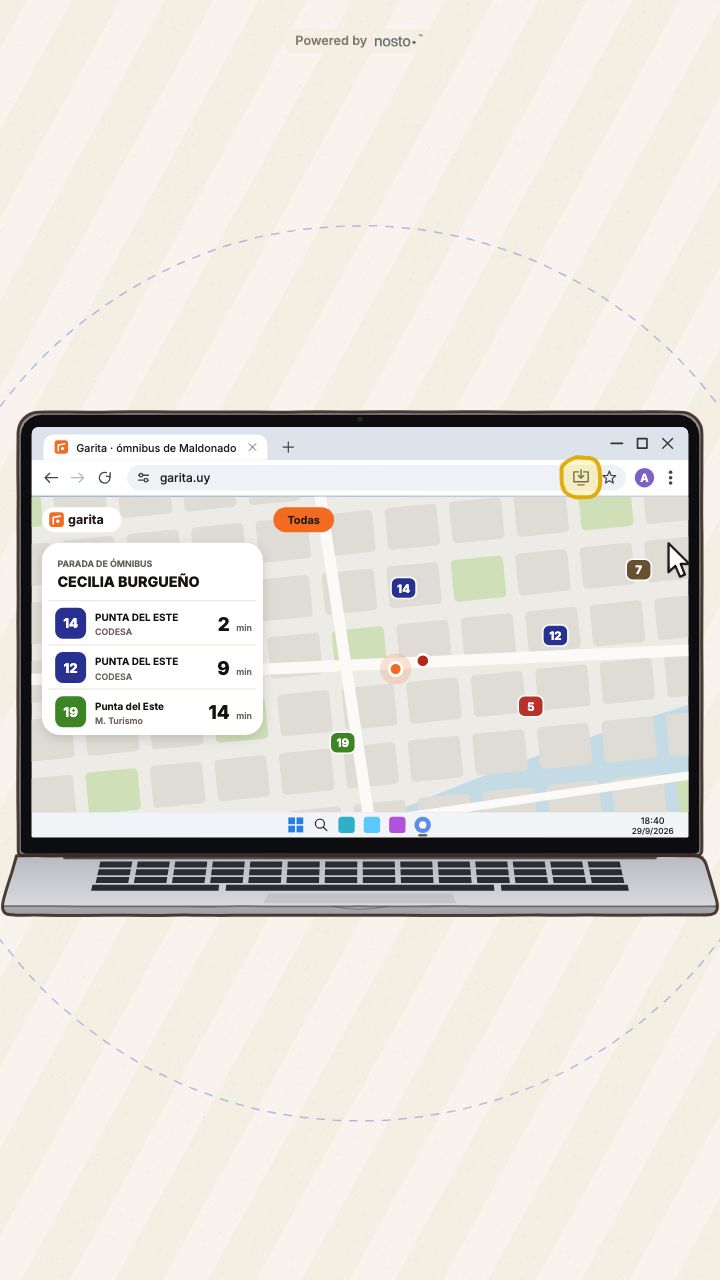
Computer with Chrome or Edge
- Open garita.uy in Chrome or Edge.
- Click the install button on the right side of the address bar.
- Confirm with "Install". Garita opens in its own window, like any other program.
Mac with Safari
- Open garita.uy in Safari.
- Open the "File" menu.
- Choose "Add to Dock".
- Click "Add".
That’s it: Garita sits on your home screen with its orange icon and opens straight to the map.